

Quickstart
Go live on your store in about five minutes.
Customize the look
Match buttons, icons, popups and text to your brand.
Reminder emails
Remind shoppers about saved items, and alert them about low stock and price drops.
Developers
Manual placement, JavaScript events, custom templates and the REST API.
What shoppers get
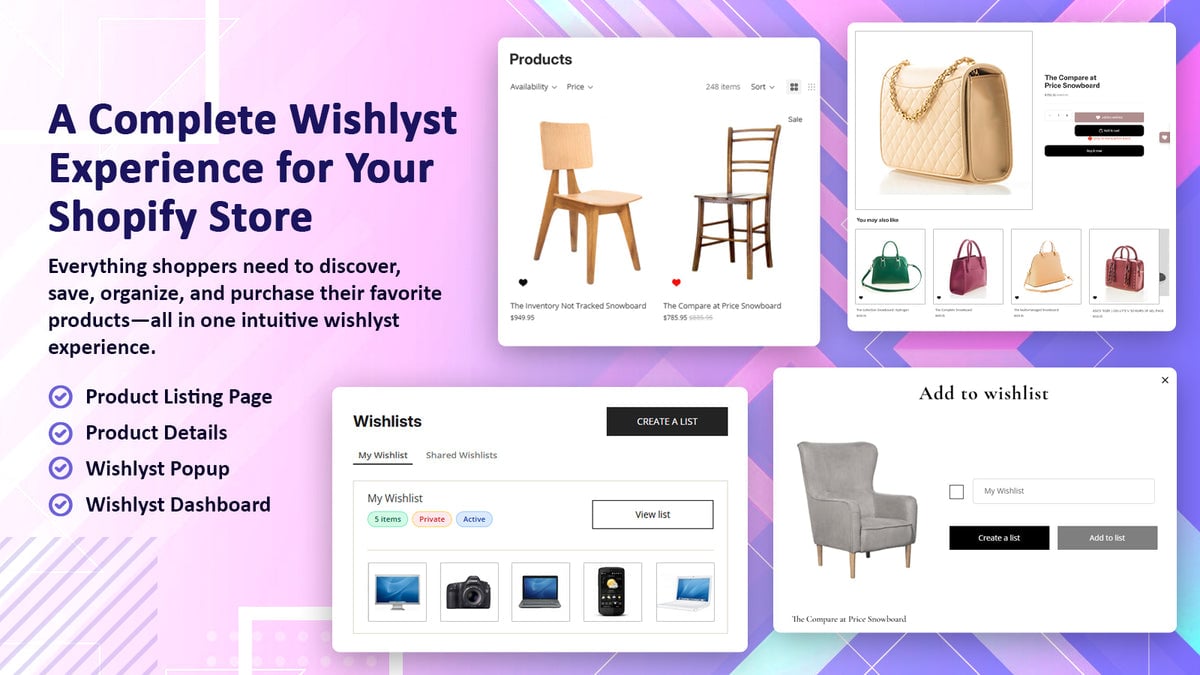
Save from anywhere
A wishlist button on product pages, hearts on collection grids, and quick-view support.
Multiple lists
Create, rename and delete lists such as “Birthday” or “Home office”, or keep a single list.
Guest wishlists
Save without an account. The list follows them when they log in.
Share
Share a list by link or email. Friends can save a copy to their own wishlists.
Wishlist drawer
A floating button opens a drawer with recently saved items.
Customer account
Wishlist pages inside the new Shopify customer accounts.
What you get
Insights
Top wishlisted products, low-stock demand, and revenue from wishlists.
Customers
See every shopper’s wishlists and export them to Excel.
Automated emails
A 4-step reminder campaign plus low-stock and price-drop alerts.
Shopify Flow
Start workflows when a product is wishlisted.
REST API
Bring wishlists to your mobile app or headless storefront.
AI assistants
Ask Claude about your wishlist data.
Need help?
Use the live chat inside the app, or email support@codebeans.net with your store’smyshopify.com domain.