

- “Which 10 products are wishlisted most this month?”
- “Export my wishlist customers as CSV.”
- “Which wishlisted products are about to sell out?”
- “How much revenue came from wishlists last week?”
Requires a plan that includes AI / MCP Access.
Create an access token
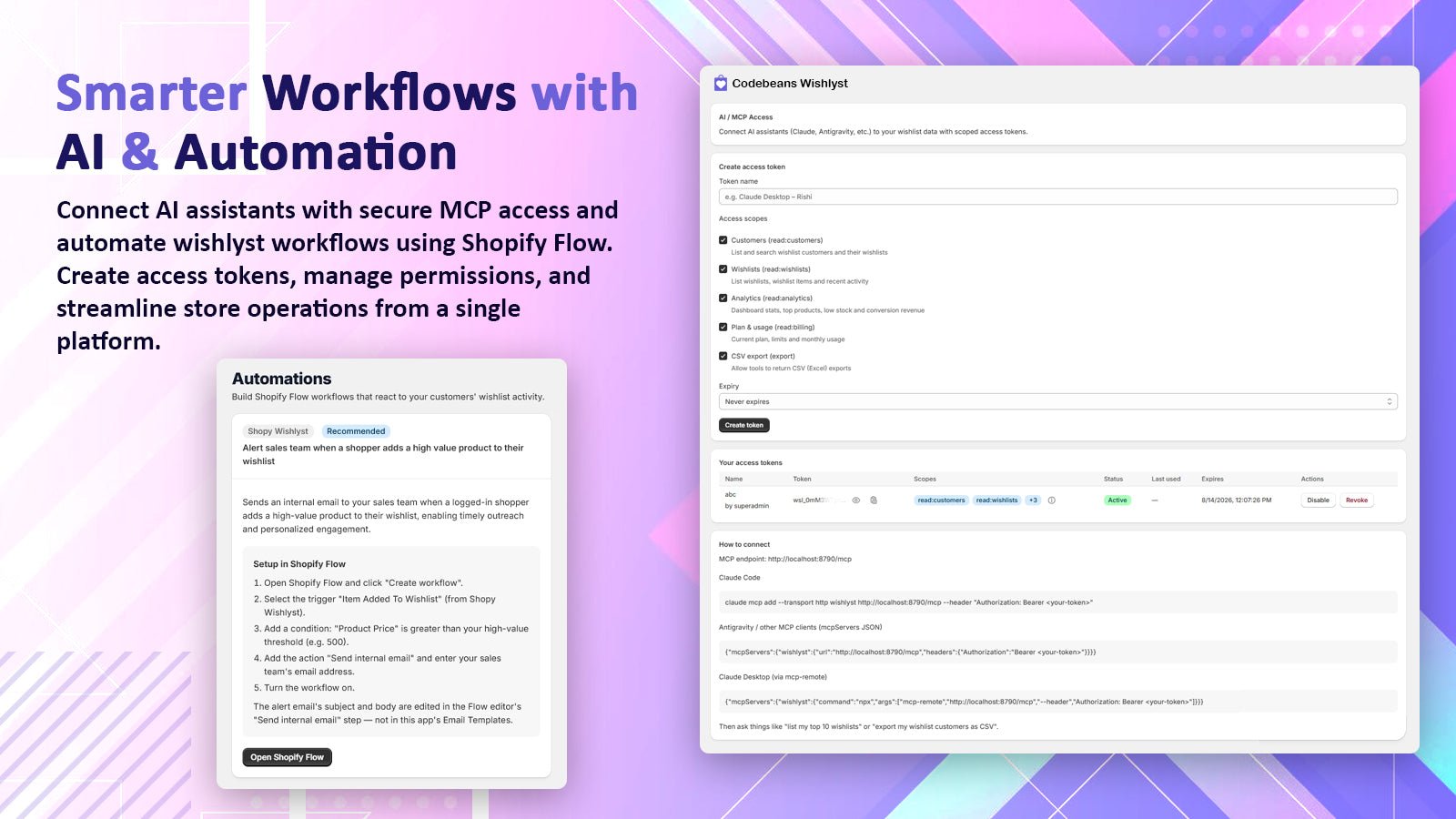
AI / MCP Access (right) and the Automations page (left)
1
Open AI / MCP Access
Go to Wishlist Settings → AI / MCP Access.
2
Fill in the form
- Token name: something you will recognize, e.g.
Claude Desktop. - Access scopes: untick anything the assistant does not need (see below).
- Expiry: Never expires, 30 days, 90 days or 1 year.
3
Copy the token
Tokens start with
wsl_. You can view and copy a token again later from Your access tokens.Scopes
Manage tokens
The Your access tokens table shows each token’s scopes, status (Active, Disabled, Expired, Revoked), when it was last used and when it expires.- Disable pauses a token. Enable turns it back on.
- Revoke removes a token permanently. Use it if a token may have leaked.
Connect your assistant
Your MCP endpoint URL is shown under How to connect on the same page. Replace<MCP_URL> and <your-token> below with your values.
- Claude Code
- Claude Desktop
- Other MCP clients
POST only). Each token can make up to 60 requests per minute. When the limit is reached, the server answers 429 with a Retry-After header.
Tools
The assistant only sees the tools its token has scopes for. Dates useYYYY-MM-DD.
list_customers — read:customers
list_customers — read:customers
Paginated wishlist customers, like the Customers page.
get_customer_wishlists — read:customers
get_customer_wishlists — read:customers
One customer’s wishlists with their items.
query (required) is a name, email or numeric customer ID. Also accepts format and includeEmpty.list_wishlists — read:wishlists
list_wishlists — read:wishlists
Every wishlist with its customer, product count and total value. Accepts
page, pageSize (20), search, includeGuests (true), startDate, endDate, format, includeEmpty.list_wishlist_items — read:wishlists
list_wishlist_items — read:wishlists
Items in one wishlist (
wishlistId) or across the whole store. Accepts page, pageSize (50), search, startDate, endDate, format.get_top_wishlists — read:wishlists
get_top_wishlists — read:wishlists
Wishlists with the most items.
limit 1–50 (default 10). Also accepts format and includeEmpty.get_recent_wishlists — read:wishlists
get_recent_wishlists — read:wishlists
Latest products added to wishlists.
limit 1–50 (default 20).get_dashboard_stats — read:analytics
get_dashboard_stats — read:analytics
Signed-in vs guest shoppers, total wishlists, items, unique products and wishlist revenue. Optional
startDate, endDate.get_top_products — read:analytics
get_top_products — read:analytics
Most-wishlisted products with counts.
limit (default 10).get_low_stock_products — read:analytics
get_low_stock_products — read:analytics
Wishlisted products below an inventory threshold.
limit (default 10), threshold 1–1000 (default 10).get_conversion_revenue — read:analytics
get_conversion_revenue — read:analytics
Orders and revenue per currency from wishlist orders (tagged
cbwishlist-order), with the 20 most recent orders. Optional startDate, endDate.get_plan_usage — read:billing
get_plan_usage — read:billing
Current plan, feature limits (
-1 means unlimited) and this billing period’s usage.CSV exports
With theexport scope, tools that accept format: "csv" return CSV with the same columns as the admin Excel export. Output is capped at 10,000 rows. For bigger exports, use Customers → Export → Share With Email in the app.
Security
- The app stores only a hash and an encrypted copy of each token.
- Give each assistant its own token so you can revoke one without affecting the others.
- Pick the fewest scopes the assistant needs, and an expiry when you can.